

Design easy to understand slides
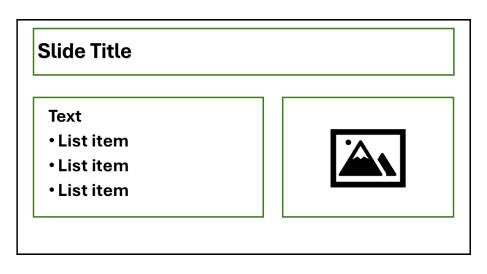
Before you worry about the technical requirements for your PowerPoint file, make the content easy to understand.
Tips for slide design
- Don't crowd a slide with a lot of text or images. Use each slide to make one main point and then start a new slide.
- Uncrowded slides also mean you can increase the font size. Think about folks sitting in the back of the room and those who may have low vision.
- Use plain language and avoid overly complex sentences. The Hemingway app can help.
- Is it necessary to include a complicated chart or infographic? A simpler version may be more useful to your audience.
Checklist
Font and formatting
- Text is at least 24pt and simple, familiar font types are used.
- Italics, all caps, and non-link underlining are used sparingly.
- Text is not fully justified.
Hyperlinks
- Link text is specific and makes sense out of context.
- Links are underlined.
Lists and tables
- Built-in tools are used for lists.
- Built-in table tools are used for data tables, not for layout purposes.
- Data tables are not included as images.
- Data tables do not have merged or split cells.
- Data tables have header rows and/or header columns set.
Images
- Meaningful images have great alt text (i.e., specific, punctuated, front-loaded, context aware).
- Non-meaningful images are marked as decorative.
- Images of text are used sparingly.
Color
- Color contrast of text has been tested and passes WCAG AA standards.
- Color contrast of meaningful graphics (e.g., bars in charts) have been tested and passes WCAG AA standards.
- Color alone is not used to communicate information.
Slide layout and order
- Outline view shows all text.
- Each slide has a unique title.
- Reading order for each slide has been verified.
Transitions, animations, videos
- If transitions and/or animations are used, they are simple and brief.
- Any embedded videos are captioned.
Final checks
- Document title added to File > Info > Properties.
- Accessibility checker shows no errors and warnings have been evaluated.
Additional resources
- PowerPoint accessibility article Read WebAIM's (Web Accessibility in Mind) guidance for PowerPoint.
- Contrast checker Test your color combinations with this free tool from WebAIM.
- Best practices for Microsoft PowerPoint Learn from Microsoft about PowerPoint's built-in accessibility features.
- Video tutorial series from Section508.gov Watch brief videos on specific PowerPoint accessibility topics.
Disclaimer
The information provided by Marin County’s Digital Accessibility Team is intended to increase people’s awareness of digital accessibility. Links are provided because they have information that may be useful. The County of Marin does not warrant the accuracy of any information contained in the links and neither endorses nor intends to promote the advertising of the resources listed herein. The County of Marin is not responsible for any kind of loss or damage arising from your use of the links or information provided herein.